Restaurant Payment Reconciliation: A Deposit-First Playbook
Summary Highlights
Restaurant payment reconciliation made simple. Match POS sales to delivery payouts and bank deposits, spot leaks fast, and close month-end clean. Book a demo.
If you run delivery across multiple apps, you’ve probably had this moment: your POS says one number, the delivery portal says another, and your bank deposit is a third number. Someone on your team spends hours “reconciling,” and you still don’t feel fully sure you caught everything.
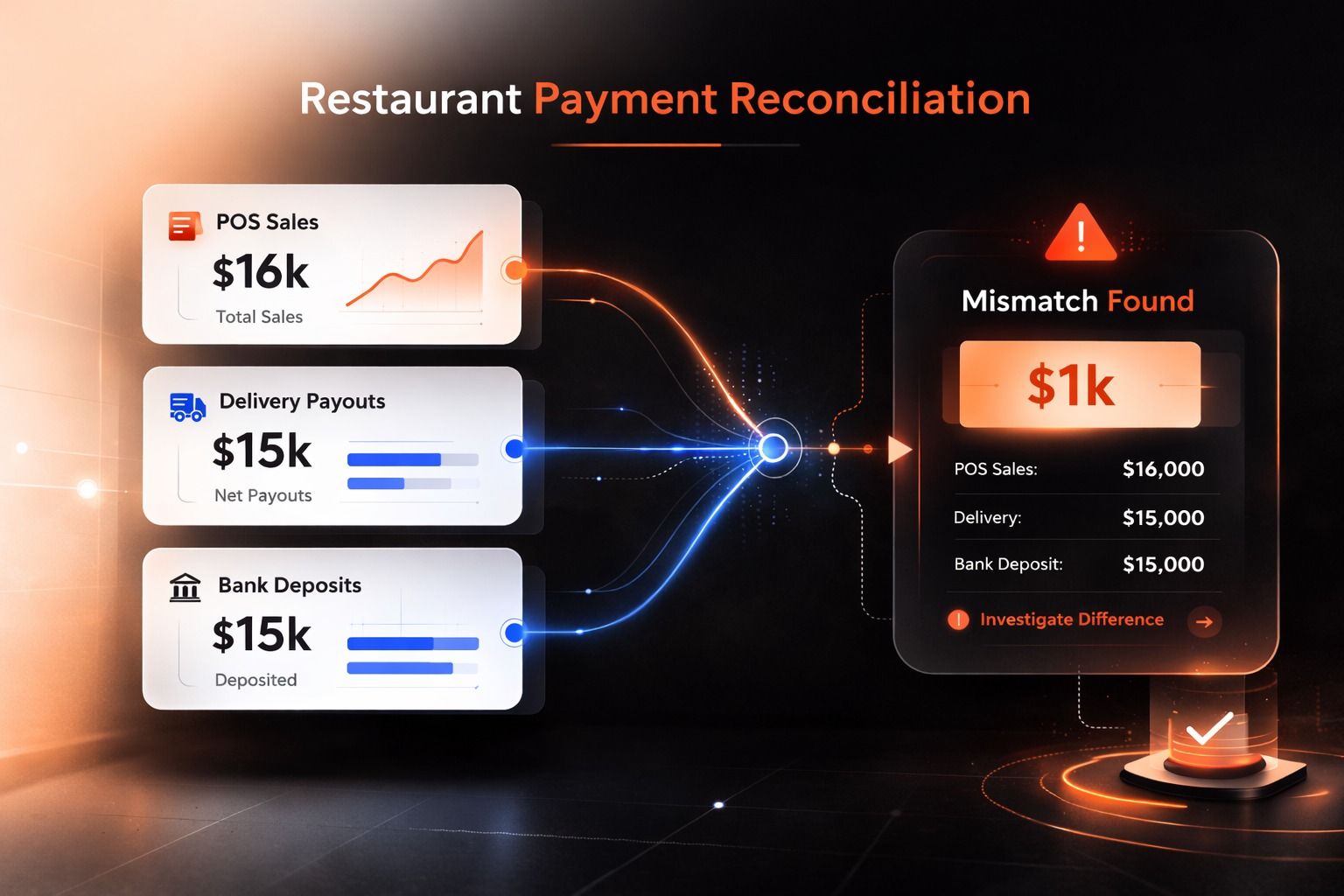
Restaurant payment reconciliation is the process of matching what you sold (POS and order data) to what you were paid (delivery payout reports and bank deposits), then explaining every difference so your books are correct and you can spot leaks.
This post is a practical, finance-first playbook you can hand to a controller, a bookkeeper, or an ops lead, and it will work whether you run 2 stores or 200.
What is restaurant payment reconciliation (and why it breaks on delivery)?
At its core, reconciliation means comparing two sets of records to confirm they agree and to find what doesn’t.
Restaurants are already complicated (split tenders, tips, refunds, third-party processors). Delivery adds a new layer of chaos:
- Payouts are batched. Your “orders for Tuesday” might hit the bank on Thursday.
- Fees aren’t one line item. Commission, marketing fees, service fees, delivery-related fees, processing fees, refunds, adjustments.
- Corrections arrive late. Refunds, chargebacks, and adjustments can land days later.
- Multi-unit multiplies everything. One store being down, one store having a menu issue, one store getting hit by incorrect charges, it creates noise across the whole brand.
So if you’re trying to reconcile delivery the same way you reconcile dine-in card deposits, you’ll feel like you’re always behind.
Why your bank deposits never match your “sales” report
Payout batching and timing differences
Delivery platforms commonly bundle many orders into a single payout. Your bank deposit is a cash event, not an “order event.” That gap is where most teams get stuck.
The practical consequence: you need a clearing account mindset, not a “today’s sales should equal today’s deposit” mindset.
Fees, refunds, adjustments, and tax quirks
Even if batching didn’t exist, deposits still won’t match sales because the deposit is usually net of fees, and refunds/adjustments often post later. Toast’s accounting guidance around delivery highlights exactly this: multiple delivery services create extra fees, taxes, commissions, and complexity that have to be reconciled deliberately.
Translation: your goal isn’t to force deposits to match sales. Your goal is to explain deposits and variances cleanly and consistently.
The deposit-first method (the only way this scales past 5 stores)
Here’s the simplest version that actually holds up at scale.
How to do restaurant payment reconciliation (7 steps)
- Create a delivery clearing account in your chart of accounts (one per legal entity, not per store).
- Post POS delivery sales into the clearing account (gross sales, taxes, tips as your accountant requires).
- Import marketplace payout reports (the “what we paid you” detail).
- Match orders → payouts using order IDs and dates (not just dollar totals).
- Match payouts → bank deposits using deposit date, amount, and payout batch IDs.
- Classify every difference into a short list of exception types (see below).
- Close the clearing account to near-zero each period, leaving a small, explainable timing balance.
This approach mirrors how clearing accounts are intended to work: automate matching for the bulk, then resolve exceptions.
Featured snippet tip: If you only remember one thing, remember this: reconcile to deposits, not to “sales,” and use a clearing account to absorb timing differences.
The 7 exception types that cause most variances
If your team has 30 “variance reasons,” you’ll never finish. Keep it tight.
- Timing difference (batched payouts)
- Orders in period, deposit in next period.
- Action: leave in clearing, it should reverse naturally.
- Fee changes or unexpected deductions
- Commission/fees that don’t match your expectation or contract setup.
- Action: flag and audit.
- Refunds and post-period adjustments
- Refund hits after the order date.
- Action: tie to original order, book properly.
- Cancelled orders with inconsistent settlement
- The portal shows one outcome, payout shows another.
- Action: investigate the charge line.
- Incorrect charges that should be disputed
- Invalid fees, wrong adjustments, cancellation errors.
- This is exactly where Voosh’s dispute automation positioning lives: it scans orders and payouts, flags invalid charges, files disputes with evidence, and tracks outcomes across stores.
- Store downtime impact (missing sales that never happened)
- The store was offline, throttled, or unavailable, so the “expected” sales never existed.
- Voosh’s uptime module monitors store status and can auto-reopen locations, with reporting on revenue protected.
- Data mapping issues (POS vs marketplace)
- Missing order IDs, menu mapping differences, duplicate records.
- Action: fix the integration mapping or data hygiene rule.
Your reconciliation system should make these categories visible by store and by week, so the same issue stops repeating.
Weekly workflow: reconcile in 30–60 minutes, not 6 hours
This is a cadence that works for independent operators and multi-unit teams.
Monday (or first day of your finance week): deposit check
- Pull last week’s bank deposits tied to delivery payouts.
- Match deposits to payout batches (high confidence matches first).
- Anything unmatched becomes an exception ticket.
Mid-week: exception triage
- Group exceptions by type (from the 7 above).
- Escalate only what needs escalation:
- Finance handles timing, mapping, accounting classification.
- Ops handles downtime root causes.
- Disputes get queued for recovery.
End of week: quick close-ready summary
- Clearing account balance: what’s timing vs what’s a true exception.
- Top 3 exception drivers this week (by $ and by store count).
- “Fix list” for ops and accounting.
Why this works: finance teams don’t want more dashboards, they want fewer surprises at month-end. A weekly cadence keeps the clearing account clean and stops exceptions from piling up.
What “good” looks like for multi-unit controls and audit trail
If you’re aiming for clean books and fewer month-end fire drills, aim for:
- A standard matching logic used every week (not ad-hoc spreadsheet formulas).
- Role-based access so ops can see what they need and finance can close the books cleanly.
- An audit trail that answers: what happened, when, and who resolved it.
- Exception aging so nothing sits for 90 days unnoticed.
Bank reconciliation exists to keep cash records accurate and to help spot errors or fraud.
The same principle applies here, except your “cash story” includes delivery payouts and deductions.
Where Voosh fits (without changing how your accountants think)
Voosh is built around the reality that operators run delivery across multiple marketplaces, and finance needs clean, provable numbers.
Here’s the “fit” in plain language, based on Voosh’s documented product pages:
- Dispute recovery: Voosh connects to major delivery marketplaces, flags invalid charges automatically, files disputes with evidence, and tracks recovery across stores.
- Store uptime protection: Voosh monitors delivery store status in real time and can auto-reopen stores, with visibility into revenue impact.
- Reviews and reputation: One inbox across key review sources, with AI drafts and controls, plus store-level trends to catch operational issues early.
- Ads and promos clarity: Dashboards for marketplace ads and promos, tracking ROAS, cost per order, and payout lift by store/channel, plus optional managed service.
How this supports reconciliation:
Reconciliation is easiest when you can separate:
- What was truly sold (order truth)
- What was deducted (fees, refunds, adjustments)
- What was preventable (downtime, operational issues)
- What is recoverable (incorrect charges and dispute-worthy items)
Voosh helps organize that reality across locations so finance can spend less time hunting and more time closing clean.
- Third Party Delivery Reconciliation Playbook
- Marketplace Dispute Automation
- Marketplace Store Uptime
A simple example (so your team stops arguing about “the right number”)
Let’s say one store does $10,000 in delivery sales this week.
- Gross sales (POS): $10,000
- Refunds processed: -$300
- Marketplace fees/commission/other deductions: -$2,200
- Net payout expected: $7,500
- Bank deposits received this week: $6,800
Variance: $700
Before you panic, run the exception checklist:
- Is $700 a timing difference (deposit batched into next week)?
- Is it a late adjustment?
- Is there an incorrect deduction that should be recovered?
When you use a clearing account and a tight exception taxonomy, this stops being “mystery money” and becomes a short queue of explainable items.
Conclusion: make reconciliation boring again
Restaurant payment reconciliation doesn’t need to be heroic work. The winning approach is:
- Reconcile to deposits, not vibes.
- Use a clearing account to handle batching.
- Keep exceptions to a short, repeatable list.
- Run a weekly cadence so month-end isn’t a scramble.
If you want to see what this looks like when you have a single view across stores and marketplaces, Book a demo and we’ll walk through a real reconciliation workflow with your store count and delivery volume.