DoorDash Commission Audit: Stop Overpaying Fees
Summary Highlights
This post explains why DoorDash payouts often fall short of reported sales and how a simple commission audit can prevent margin loss. It shows how net payout is calculated, where overcharges commonly hide—such as plan mismatches, pickup vs delivery rate changes, marketing spend, and unchecked amendments—and why small errors compound at scale. The blog outlines a practical, repeatable audit process to verify contracted rates, spot fee discrepancies, reconcile payouts to bank deposits, and document issues clearly. It also highlights what can be automated versus reviewed manually, helping operators turn commission from a confusing expense into a controlled, auditable cost.
DoorDash Commission Audit: Stop Overpaying Fees
If you run delivery at scale, you already know the feeling: sales look strong, but the payout lands short, and the “why” lives inside a maze of fees, adjustments, and plan details.
This post is a practical, operator-first way to audit DoorDash commission and fees, catch preventable overcharges, and build a repeatable workflow your finance team (or GM) can run every month.
Definition: A DoorDash commission audit is the process of comparing what you were supposed to be charged (based on your pricing plan and contract terms) against what DoorDash deducted on each order and payout. Done right, it helps you spot rate mismatches, unexpected fees, and payout math issues before they quietly erode margin.
Why your DoorDash payout rarely matches “sales” perfectly
DoorDash’s own reporting makes an important distinction: Net Payout is not the same as Sales.
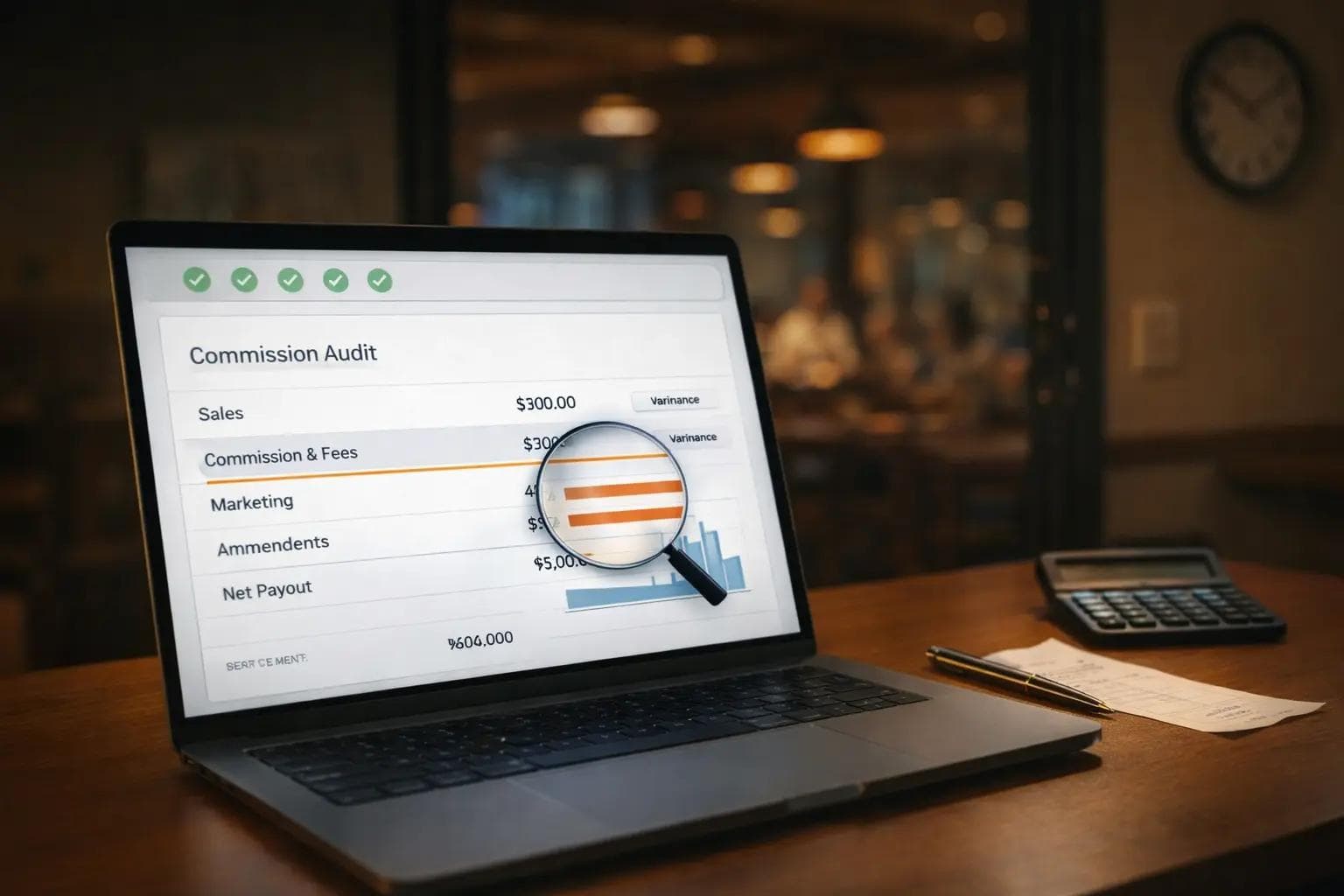
In the Merchant Portal, DoorDash shows payout columns that map to the net payout, net payout is calculated as sales minus commission/fees and marketing spend, plus amendments.
Problem is when:
- the commission rate isn’t what you agreed to,
- fees show up inconsistently across locations,
- marketing weren’t running anything,
- amendments pile up and nobody reconciles them.
A good audit is how you turn “I think we’re being overcharged” into a clean, documented answer.
Where commission overcharges and fee creep usually hide
Most restaurants don’t get “one big wrong charge.” They get a lot of small wrong charges that are hard to notice unless you look for patterns.
Here are the most common hiding spots:
1) Plan or tier mismatches across locations
DoorDash offers multiple pricing plans (Basic, Plus, Premier) with different commission rates and marketing support.
Multi-unit groups often assume every store is on the same setup. In reality, a single location can drift into a different plan after a menu relaunch, ownership change, or a well‑intended support ticket.
2) Pickup vs delivery differences
Pickup can have a lower commission than delivery (varies by plan). If your mix changes, your effective commission rate changes too.
3) Marketing spend that looks like “fees”
DoorDash separates commission & fees from marketing spend in reporting, and marketing spend includes multiple marketing-related costs and incentives.
If you’re not monitoring both, you’ll miss where the dollars are going.
4) Amendments and adjustments that never get reviewed
DoorDash includes “amendments” as part of how net payout is calculated.
They’re not automatically “bad,” but they are easy to ignore. Ignored adjustments become permanent margin loss.
5) Timezone and reporting windows
DoorDash notes that reporting can involve UTC timestamps and that payout periods don’t always line up with calendar months.
If your internal reporting is month‑based (most are), this can create reconciliation gaps and false alarms.
How to audit DoorDash commission in 7 steps
If you want a quick, featured-snippet-friendly answer, this is it:
- Pull your contract terms (pricing plan, negotiated rates, pickup vs delivery terms).
- Download payout data and monthly statements from the Merchant Portal.
- Separate Sales, Commission & Fees, Marketing Spend, and Amendments (match DoorDash’s categories).
- Compute effective commission % (commission ÷ subtotal, by store and by channel).
- Flag outliers (rate deviations, sudden shifts, stores that don’t match the group).
- Tie payouts to bank deposits (date + amount) so nothing “falls off the map.”
- Open a documented case for anything that doesn’t match your terms (and track it to resolution).
Now let’s make each step concrete.
Step 1: Get the “truth source” for your expected rates
Start with whatever document your team treats as the source of truth:
- your agreement / addendum,
- your latest pricing plan confirmation,
- any negotiated rate emails.
Your goal is simple: write down the expected commission logic (delivery vs pickup, and any location-specific exceptions).
Step 2: Pull the right DoorDash reports (payouts + statements)
DoorDash explains how to view payouts in the Merchant Portal (Financials → Payouts) and how to view monthly statements (Financials → Statements).
Two practical notes DoorDash calls out:
- Monthly statements are available by the 5th day of every month.
- A monthly statement covers the calendar month, but payout periods can straddle months.
Operator tip: If your accounting closes by calendar month, build your workflow around the monthly statement, then use payouts to tie to deposits.
Step 3: Normalize your columns to DoorDash’s net payout math
Don’t fight the platform’s definitions. Use them.
DoorDash’s net payout math is essentially:
- Sales
- minus commission and fees
- minus marketing spend
- plus amendments = net payout
Make your spreadsheet match that structure first. It prevents 80% of reconciliation confusion.
Step 4: Calculate your effective commission rate (the fast way)
You don’t need a perfect model to find issues. Start with “effective rate”:
Effective commission % = Commission ÷ Subtotal
Why subtotal? DoorDash defines subtotal as the order price before taxes and other items.
Run this:
- by store
- by week
- by pickup vs delivery (if you have the split)
- and for your top 20 selling items (optional, but revealing)
Step 5: Set “outlier rules” that match restaurant reality
Outliers should be obvious enough that a GM can spot them.
Examples:
- a store’s effective rate is consistently higher than the group average,
- effective rate jumps after a specific date (menu update, plan change),
- marketing spend appears when your team swears nothing is running,
- amendments spike for a store without a clear cause.
Step 6: Reconcile payout → bank deposit (so cash is provable)
Even if the commission is correct, cash visibility matters.
When payouts don’t match deposits (timing, batching, partial deposits), teams waste hours. Build a simple mapping:
- Payout ID
- Payout date
- Deposit date
- Deposit amount
DoorDash shows payout date, payout ID, status, and the components used to calculate net payout.
Step 7: Document issues like an auditor, not like a frustrated operator
When something looks wrong, avoid vague tickets like “fees are too high.”
Instead, send:
- store ID + payout ID(s),
- expected commission logic (from your source-of-truth),
- actual charged commission and dates,
- calculated variance ($ and %),
- screenshots or exported CSV rows.
Your goal is to make it easy for support to say “yes/no” quickly.
A simple monthly commission audit workflow for multi-unit operators
Here’s a workflow that works in the real world, even when you’re short-staffed:
Week 1 of the month (after statements are available)
- Download the prior month’s statement(s).
- Run the effective commission % check by store.
- Flag any store outside your tolerance band.
Mid-month
- Validate any new stores, new menus, or new hours of operation.
- Spot-check one high-volume week to catch early drift.
End of month
- Confirm payouts tie to deposits (cash reality check).
- Record learnings: “what changed, when, and why.”
Internal controls that keep this sane:
- One owner (finance or ops) for the audit.
- One shared doc for “expected rates” (version-controlled).
- One tracker for open issues (date opened, evidence, outcome).
What you can automate, and what you should keep human
Spreadsheets are fine for a first pass. They break when you have:
- 10+ locations,
- multiple delivery partners,
- shifting promos,
- constant adjustments.
The best split we see:
Automate
- Daily matching of orders to payouts (to catch missing payments, incorrect fees, deductions, and adjustments early).
- Commission validation at the order level against your contracted rates (so you don’t rely on “effective rate” averages).
- Export-ready reporting for your accountant or controller.
Keep human
- Contract interpretation (what you agreed to).
- Escalation strategy (who to contact, when to push).
- Final sign-off (what gets booked, what gets challenged).
How Voosh fits into a commission audit
Voosh is built for the messy reality of third‑party delivery finance: lots of orders, lots of line items, not enough time.
Here’s the cleanest way to think about it:
- Marketplace Payout Reconciliation helps identify payout errors and inconsistencies by matching orders to payouts (DoorDash, Uber Eats, Grubhub, ezCater).
- Platform Commission Auditor (add-on) validates commissions for each order against your contracted rates and flags potential overcharges.
- If you also need clean accounting outputs, Automated Journal Entries to Accounting Software (add‑on) can sync daily reconciliation into Restaurant365, QuickBooks, or other accounting software with GL mapping, approvals, and audit trails.
- For cash visibility, the Bank Integration (read‑only) add‑on can pull deposit data to support bank-level reconciliation.
If your margin problem is not just commission, Voosh also supports:
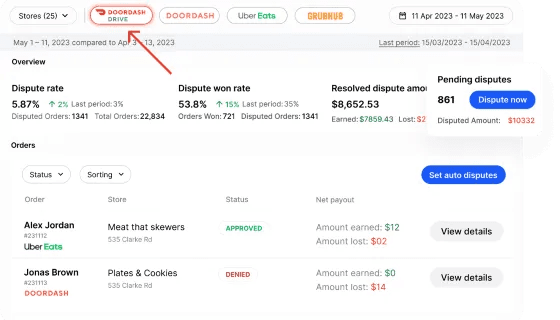
- Marketplace Dispute Automation for invalid errors charged by marketplaces (and dispute analytics).
- Ads & Promotions Analytics to understand performance and optimize spend on DoorDash and Uber Eats.
Important: The point of a commission audit isn’t to fight every charge. It’s to make sure your fees match your terms, your payouts match your reporting, and your team can explain the math in under 10 minutes.
Quick tools you can use today
1) Commission overcharge calculator (copy/paste)
Overcharge ($) = (Charged % - Contracted %) x Subtotal
Example: If you’re contracted at 20% but you’re charged 25% on a $100 subtotal, that’s a $5 variance on that order.
2) Issue tracker template (what to log)
- Date opened
- Store / location ID
- Payout ID(s)
- Variance type (rate mismatch, fee, marketing spend, amendment)
- Evidence link (CSV export, screenshot)
- Status / owner
- Outcome (credited / denied / pending)
3) Short email template to send to support
Subject: Commission rate mismatch on payout [Payout ID] for [Store]
Body:
Hi team,
We’re seeing a commission variance on payout [Payout ID] for [Store ID].
Expected commission: [X%] per our agreement/pricing plan.
Charged commission: [Y%] on [date range], variance: [$] / [%].
Attached: payout export + calculation and the affected transactions.
Can you confirm the correct rate and advise on a correction if applicable?
Thanks,
[Name], [Role]
Wrap-up: treat commission like COGS, not a mystery fee
DoorDash commission and fees pay for real services, and DoorDash offers different pricing plans with different commission rates and marketing support.
But “normal fees” is not the same thing as “correct fees.”
A monthly audit, even a lightweight one, helps you:
- protect margin,
- tighten cash visibility,
- and stop losing hours to reactive reconciliation.
If you want to see how teams automate this across multiple locations and delivery partners, we’ll walk through what an audit-ready workflow looks like in Voosh.